
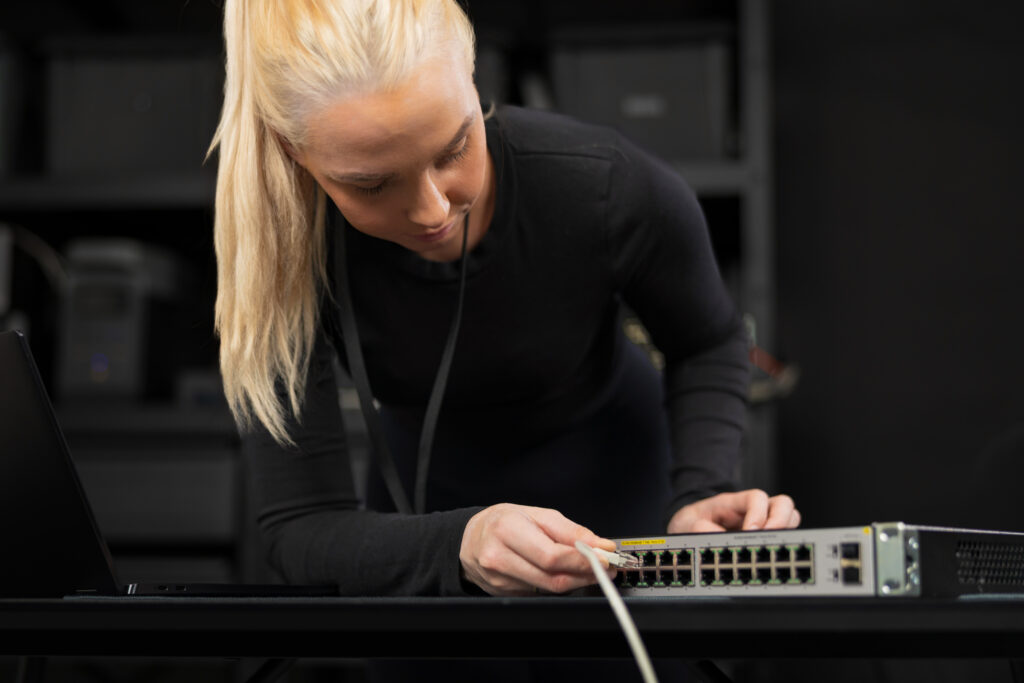
A reliable network is essential for almost every business in Dubai. Employees use it to access email, share files, process payments, manage customer information and communicate with suppliers. When something goes wrong with that network, the impact can go beyond a few computers losing their internet connection.
The problem is that network security often gets attention only after an issue occurs. A business might continue using the same router for years, give several employees access to shared accounts or leave former employees’ login details active longer than necessary. These decisions may seem harmless at first, but they can create security gaps that are difficult to spot.
The good news is that protecting a small or medium-sized business does not necessarily require an expensive, enterprise-level security setup. What matters is understanding where the risks are and putting the right safeguards in place.
In this guide, we explain practical network security measures that businesses in Dubai can use to protect their systems, reduce avoidable risks and keep day-to-day operations running smoothly.
Why Network Security Matters for Dubai Businesses
Think about how much of your daily work depends on your network. Your team may rely on cloud applications, accounting software, shared documents, payment terminals, printers and CCTV systems. If these devices are poorly secured, one weak point can expose other parts of the business.
For example, imagine a retail shop where staff use the same network for customer Wi-Fi, payment terminals and office computers. If those systems are not properly separated, a security problem involving one device could create unnecessary risks for the others.
A similar problem can affect a small office. An employee who clicks a suspicious email link may unknowingly expose a company account or download malicious software. Without suitable access controls, updates and monitoring, the problem can spread further than expected.
Good network security helps businesses reduce these risks. It also supports customer confidence, protects business information and makes it easier to recover when something goes wrong.
Secure Your Router and Firewall
Your router connects your business network to the internet, while a firewall helps control which network connections are allowed. Both need proper configuration.
Many businesses install networking equipment when opening an office and then leave its settings untouched. Over time, passwords may be shared too widely, firmware updates may be missed and firewall rules may no longer reflect how the business operates.
Start with these basic checks:
- Change default administrator usernames and passwords wherever possible.
- Use strong, unique credentials for network equipment.
- Install supported firmware and security updates.
- Disable remote administration and services that are not required.
- Review firewall rules and remove unnecessary access.
- Restrict administrative access to authorised personnel.
A firewall is not a complete security solution on its own. It needs to be configured correctly and reviewed as the business changes.
For businesses without an in-house IT team, a professional network assessment can help identify outdated equipment, unnecessary open services and configuration issues before they become larger problems.
Keep Guest Wi-Fi Separate from Business Systems
Offering Wi-Fi to customers and visitors is common in offices, clinics, cafés, retail shops and other commercial premises. The important question is whether guest devices can reach the systems your employees use.
A visitor should not need access to your internal file server, staff computers or administrative devices simply to connect to the internet.
Setting up a separate guest network helps keep visitor traffic away from business systems. Depending on the network design, VLANs can also separate employee devices, servers, CCTV equipment and other connected systems.
For example, a Dubai office could use separate network segments for employees, visitors and security cameras. If a visitor’s phone becomes infected, proper segmentation can help limit its ability to communicate with internal business devices.
Segmentation must be configured correctly to provide meaningful protection. Simply creating different Wi-Fi names does not always guarantee that the underlying networks are isolated.
Protect Business Wi-Fi
A secure wireless network needs more than a password that is difficult to guess. The equipment, encryption settings, administrator access and coverage all matter.
Start by using the strongest security mode supported by your devices, preferably WPA3 where compatible, or WPA2-AES where older equipment requires it. Avoid outdated security protocols and change default administrator credentials.
You should also:
- Use a separate password for guest Wi-Fi.
- Limit access to network administration.
- Update wireless access points regularly.
- Place access points where staff need reliable coverage.
- Review connected devices and remove access that is no longer needed.
Poor Wi-Fi coverage can cause practical problems, too. Employees may start using personal hotspots or connect to unfamiliar networks when the office connection is unreliable. Proper wireless planning helps avoid that situation.
If your office has dead zones, frequent disconnections, or inconsistent speeds, the solution may involve access point placement, interference checks, updated equipment, or network configuration changes.
Give Employees Access Only to What They Need
Not every employee needs administrator access to company computers, shared folders, servers or business applications.
Giving everyone the same level of access might seem convenient, especially in a small team. However, it makes it harder to control who can view, change or delete important information.
A better approach is to assign permissions according to each person’s responsibilities.
For instance, an accounts employee may need access to invoices and financial records, while a receptionist may only need access to booking software and customer contact details. Neither employee should automatically receive full administrative access to the entire network.
Multi-factor authentication (MFA) adds another layer of protection by requiring an additional verification step when someone signs in. Enable it wherever available, especially for email, administrator accounts, cloud services and remote access.
When an employee leaves the company or changes roles, review their permissions promptly. Remove accounts that are no longer required and avoid relying on shared passwords that make activity difficult to trace.
Keep Computers and Network Equipment Updated
Software updates are easy to postpone when everything appears to be working. Unfortunately, an outdated system can contain known security weaknesses that attackers may exploit.
This applies to more than desktop computers. Routers, firewalls, servers, wireless access points, business applications, and other connected devices also need appropriate maintenance.
Businesses should establish a straightforward update process that includes:
- Keeping operating systems and applications supported.
- Applying important security patches promptly.
- Updating network equipment firmware.
- Replacing devices that no longer receive security updates.
- Checking that updates have installed successfully.
Updates should be planned carefully for systems that support important business operations. For example, a company should check compatibility and arrange an appropriate maintenance window before making changes to a critical server or payment environment.
If your business relies on older equipment, do not assume that it is safe simply because it still works. Ask your IT provider whether the device remains supported and what options are available if it cannot be secured adequately.
Secure Remote Access to Your Business Network
Many businesses need employees or authorised IT technicians to access systems when they are away from the office. Remote access can be useful, but it should not create an unrestricted route into your internal network.
Avoid exposing remote administration services directly to the public internet unless there is a carefully justified and securely managed requirement. Use an appropriate remote-access solution, strong authentication and access restrictions.
For example, if an employee needs to access an office server from home, access should be limited to the systems and services required for their job. Administrative access should be granted only to authorised personnel.
Businesses should also review access provided to external IT support companies. Third-party technicians may need to manage firewalls, servers or workstations, but their permissions should be limited to the agreed responsibilities.
Review remote-access accounts regularly and remove access that is no longer necessary. Logging and monitoring can also help identify unexpected sign-ins or unusual activity.
Help Employees Recognise Common Security Risks
Network security is not only a technical issue. Everyday decisions by employees can affect how well a business is protected.
A convincing email might appear to come from a supplier, manager or delivery company. It may ask an employee to open an attachment, sign in to a website or change payment details. If the request is fraudulent, acting on it without checking can expose company accounts or money.
Employees do not need to become cybersecurity specialists, but they should know how to recognise suspicious messages and report them.
Practical steps include:
- Training staff to recognise suspicious links and attachments.
- Asking employees to verify unusual payment requests through a separate channel.
- Explaining how to report suspected security incidents.
- Discouraging the sharing of passwords.
- Establishing clear rules for installing software and connecting devices.
Managers should make reporting straightforward. If an employee clicks a suspicious link, they should feel comfortable informing the responsible person immediately rather than hiding the mistake.
Quick reporting can give the IT team a better chance of containing a problem before it affects additional users or systems.
Back Up Important Business Data
Even with sensible security controls, no business can eliminate every risk. Hardware can fail, files can be deleted accidentally and ransomware can make information unavailable.
That is why backups should be part of your network security plan.
Identify which information your business cannot afford to lose. Depending on your operations, this may include customer records, financial documents, contracts, project files, inventory information and server configurations.
A suitable backup arrangement should include:
- Automatic backups on an appropriate schedule.
- A protected copy that attackers cannot easily alter or delete.
- Secure storage separate from the main production environment.
- Access controls for backup systems.
- Regular restoration tests.
Do not assume that a backup is working simply because the software reports a successful job. Test whether you can actually restore the files and systems you would need after an incident.
Consider a small company that loses access to its shared files before an important deadline. A recent, tested backup can make recovery much more manageable than trying to recreate documents from emails and individual computers.
Your backup schedule should reflect how frequently important information changes and how much data the business can afford to lose.
Monitor the Network and Review Security Regularly
Network security should not be treated as a one-time installation. Business requirements change as employees join or leave, new devices are introduced and offices expand.
Monitoring helps identify issues that may otherwise go unnoticed. Depending on the equipment and services in use, this may include unusual login attempts, unexpected configuration changes, failing network devices or suspicious traffic.
A regular review should cover:
- Firewall and router configurations.
- User accounts and administrator permissions.
- Connected devices and wireless access.
- Software and firmware update status.
- Remote-access permissions.
- Backup results and restoration tests.
- Relevant security logs and alerts.
The review should also take place after important changes, such as moving offices, installing a new server, adding a branch or changing IT providers.
Smaller businesses may not need a dedicated security operations team. A documented review process, supported by a qualified IT professional where necessary, is a practical starting point.
A Practical Network Security Checklist for Small Businesses
If you are unsure where to begin, work through the following checklist. It helps prioritise basic protections before investing in more complex security tools.
- Change default router and firewall administrator credentials.
- Review firewall rules and disable unnecessary services.
- Separate guest Wi-Fi from internal business systems.
- Enable multi-factor authentication for important accounts.
- Review employee permissions and remove unused accounts.
- Install security updates for supported devices and applications.
- Secure remote access and restrict administrative connections.
- Train employees to recognise suspicious emails and requests.
- Back up critical information and test data restoration.
- Review security settings, alerts and network activity regularly.
You do not need to implement everything at once. Start with the gaps that create the greatest risk, then work through the remaining items in a planned order.
How UKITS Can Help with Network Security in Dubai
Managing a business network involves more than keeping devices connected. Equipment needs to be configured properly, access must be controlled, and the infrastructure should be maintained as business requirements change.
UKITS Technologies provides networking and IT infrastructure services for businesses in Dubai. Depending on your requirements, support can include network assessments, firewall setup, structured cabling, business Wi-Fi, server configuration and ongoing IT maintenance.
If your business is experiencing connectivity problems, using outdated networking equipment or preparing to move into a new office, reviewing the network before problems arise can help you make more informed decisions.
The first step is to understand your existing setup, identify the main concerns and determine which improvements are necessary. Not every business needs the same equipment or level of protection, so recommendations should reflect your actual environment.
Need help reviewing your business network? Contact UKITS Technologies to discuss your network security and IT infrastructure requirements in Dubai.
Frequently Asked Questions
Yes. Small businesses use email, cloud applications, payment systems and customer data just like larger organisations. Weak passwords, outdated equipment and excessive user permissions can expose them to avoidable risks. A well-planned security setup helps reduce those risks without necessarily requiring expensive enterprise-level tools.
Start with the fundamentals. Secure network equipment, enable multi-factor authentication, update supported devices, separate guest Wi-Fi, review user permissions and maintain protected backups. These steps address common security weaknesses and provide a foundation for further improvements.
Yes, in most business environments. Guest devices should generally have internet access without unrestricted access to internal computers, servers or other sensitive systems. Proper network segmentation helps enforce that separation.
Review security settings and access permissions regularly, according to the size and complexity of the business. Additional reviews are important after staff changes, office moves, major upgrades or suspected security incidents. Critical alerts and failed security controls should be addressed promptly rather than waiting for the next scheduled review.
No. A firewall helps control network traffic, but it cannot prevent every threat. Businesses also need suitable authentication, software updates, endpoint protection, access controls, employee awareness and reliable backups. The appropriate combination depends on the business and the systems it uses.
UKITS can help businesses assess and improve their networking infrastructure. Depending on the requirements, this may include reviewing network configurations, setting up firewalls, improving Wi-Fi, configuring servers and providing ongoing IT support. Contact the team to discuss your existing setup and the issues you want to address.
Need Help Securing Your Business Network?
Protect your business with reliable network security and IT infrastructure support in Dubai. Contact UKITS Technologies to discuss your requirements.